Skills, tools & sources
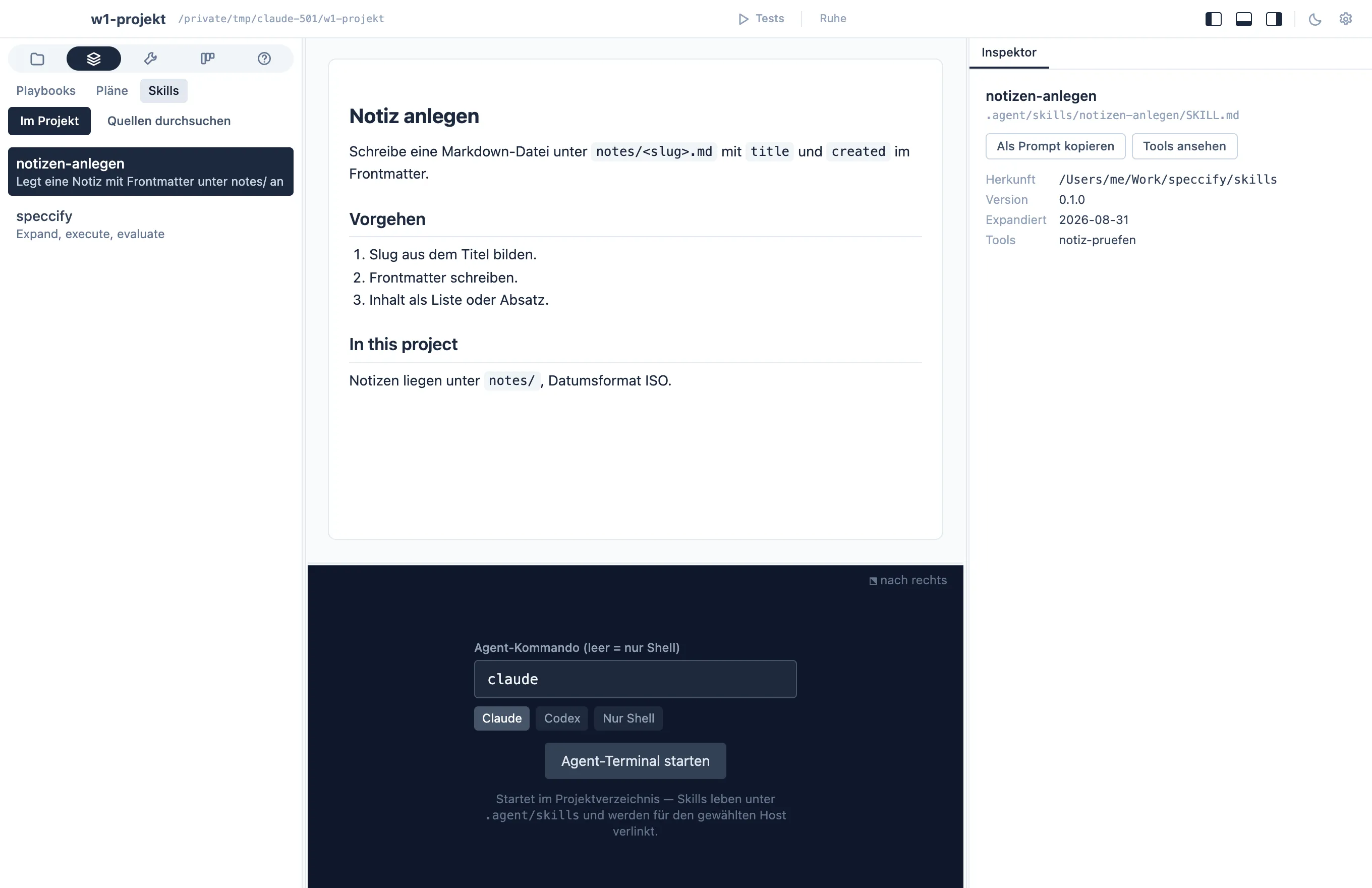
The skills tab (area Orga) shows what the agent knows how to do in
this project: the skills under
.agent/skills/, listed in the navigator, rendered in the middle,
with their origin from expansions.yaml in the inspector. The tools
tab (area Tech) does the same for the tools
under .agent/tools/, with each platform’s verification status in the
inspector — the same files the agent reads, rendered for you.
One source of truth, many agents
Section titled “One source of truth, many agents”.agent/skills/ is the source; agent-specific folders are links
into it (a junction on Windows):
.claude/skills → ../.agent/skills.agents/skills → ../.agent/skillsAdd or edit a skill under .agent/skills/ and every agent sees it
immediately. The rule is the same for you and the agent: edit there,
never inside a dot-folder.
Sources: skills you didn’t write
Section titled “Sources: skills you didn’t write”Skills and tools can come from a Speccify source — a skills repo
or folder. Sources live in two places: the dashboard’s Library
holds the global ones every project sees (most people need just one),
and the skills tab’s Browse sources mode adds sources for this
project only — a customer’s GitLab, a private GitHub repo, a folder
on disk. + Source takes a Git URL or a folder. Git sources are
cloned once into ~/.speccify/sources/ and pulled with Refresh;
access goes through the same git your terminal uses (credential
helper or SSH key), so private repos work without any extra setup in
Speccify. The source’s folder structure is the organization — its
folders are the categories you browse. Pick a skill to preview it;
Import (expand) in the inspector types the matching
speccify add … --source … && speccify expand … command into the
agent terminal. --source remembers the source under sources: in
speccify.yaml, so later verify and expand runs find the skill
on their own, and the expand step does the rest:
normal skills land in .agent/skills/, tool contracts in
.agent/tools/, and .agent/speccify/expansions.yaml records where
each came from, at which version, and whether each tool’s
implementation is verified on this platform.
Two rules keep the bookkeeping sane:
- Edit the skills and tools, not
expansions.yaml— the record is maintained by Speccify; hand-edits would make it lie. - Tools are pre-approved deliberately. The host’s settings
(for Claude Code,
.claude/settings.json) allowlist running what’s under.agent/tools/— implementations are contract-checked, so the agent can call them without a permission prompt each time.
When the agent uses an expanded skill while working a spec, it logs
an agent_run line in the spec’s history naming the skill and
tool — the spec’s history is the trail of what was
used; there is no separate log file.