The agent-agnostic skill & tool manager
Share the contract, not the implementation.
Reuse what you learn as skills and tool contracts. Turn project experience into knowledge your next project can use. Plain files. Shared over Git. Your choice of agent.
What’s new in 0.8.7: terminals that survive restarts, copying from the terminal, full-width dock →
The problem
- · What you learned the hard way lives in one project. The next project starts from zero, and so does the agent.
- · Ready-made scripts break on the next machine: a different Python, a different OS, a path that only existed on yours.
- · Agent workflows drift — every project invents its own way to plan, slice work, and keep the human in the loop.
The idea
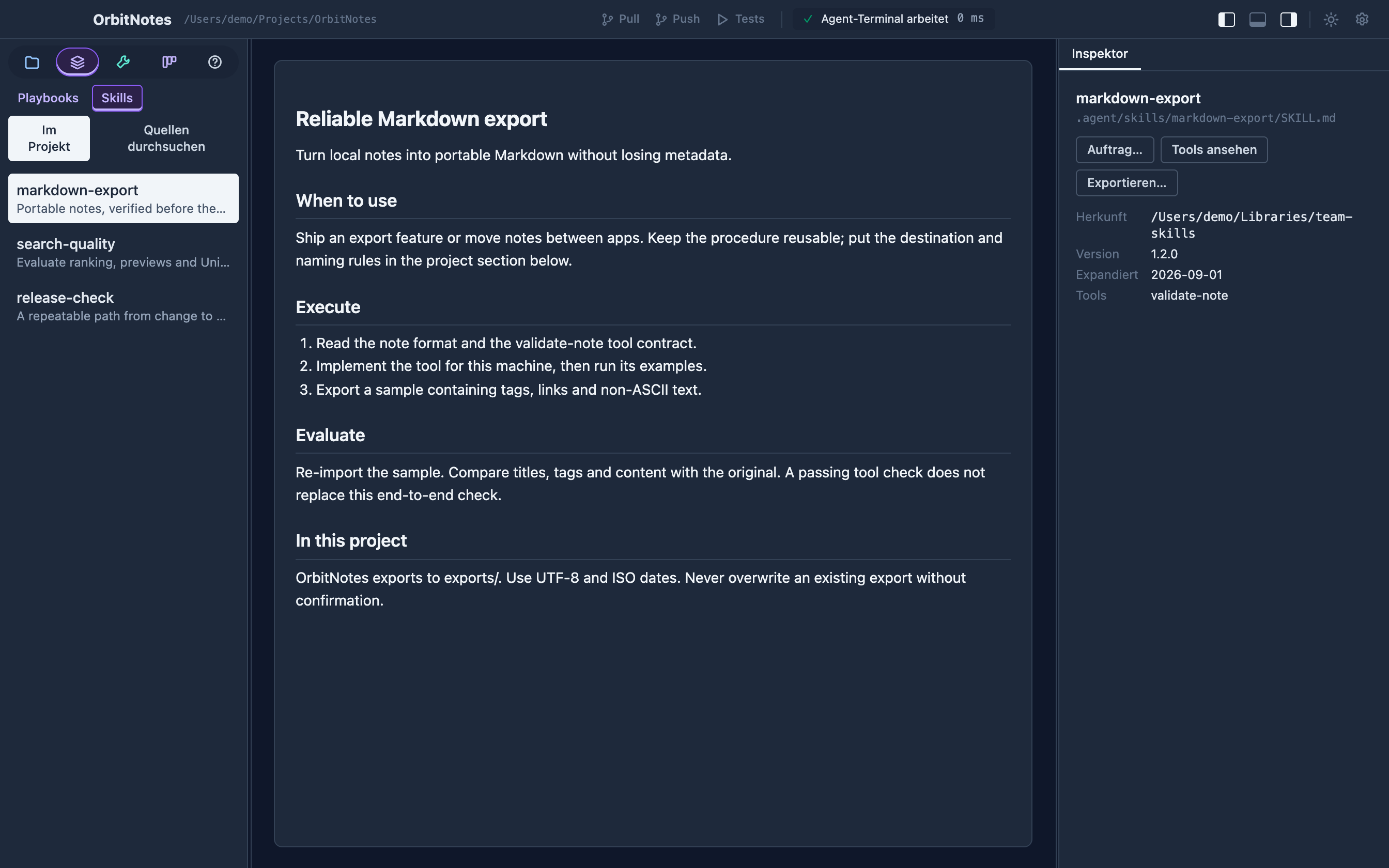
- · Skills are plain SKILL.md files, shared over Git like Go modules — no account, no registry. speccify expand copies them into the project where every agent finds them.
- · Tools ship as contracts, not scripts: TOOL.md defines inputs, outputs, effects, and examples. Your agent implements it for this machine — speccify tool check proves it works.
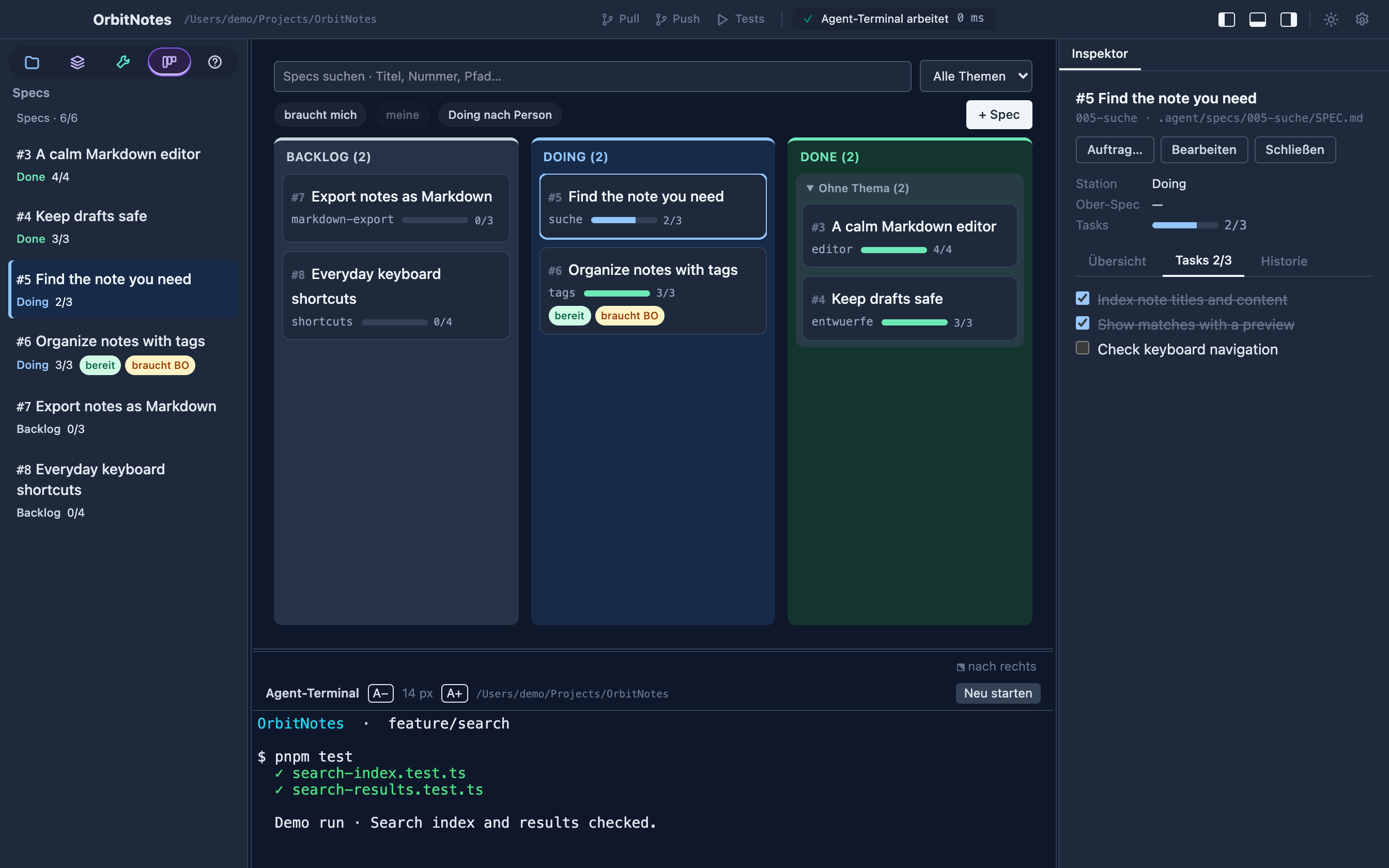
- · One file-based workflow — specs with tasks, questions, history — that any agent can follow and the Speccify app makes visible. Modeled on OpenSpec and Kiro, built to fit into what you already use. Claude Code and Codex are equally at home.
What a tool contract looks like
From the notarization skill in this repository. The contract names inputs, outputs, effects — and its examples are the acceptance test for any implementation.
# TOOL.md — the contract an agent implements per project
name: verify-signatures
description: Verifies the code signature of a macOS .app bundle and of
  every executable inside Contents/MacOS — the sidecars notarization
  rejects without the build ever saying so.
inputs:
  type: object
  required: [bundle]
effects: [reads-filesystem]
# examples below are the acceptance test for any implementation
Worth capturing
The test is not how big a task is. It is: would I have had to figure this out again in the next project?
Platform rituals
Notarization, entitlements, store review
Payments & auth
Trials, subscriptions, OAuth flows
Team workflows
Specs, gates, review loops for agents
Client projects
Each with its own skill repo and sources
Expand it, implement it, verify it
$ speccify expand macos-notarize-tauri --library ~/work/skills
✓ .agent/skills/macos-notarize-tauri/SKILL.md
✓ .agent/tools/verify-signatures/TOOL.md   (contract, no implementation yet)

# agent implements .agent/tools/verify-signatures/macos.sh …

$ speccify tool check verify-signatures
✓ example 1  clean bundle          → ok: true
✓ example 2  unsigned sidecar      → ok: false, names the offender
verified  verify-signatures (macos)
How it works
1 · Expand
speccify expand copies a skill and its tool contracts into .agent/ — normalized, versioned, provenance recorded. Every agent reads the same files.
2 · Execute
Your agent implements each tool contract for this machine and this platform. No fragile shared scripts — the contract travels, the implementation is local.
3 · Evaluate
speccify tool check runs the contract's examples against the implementation. Status becomes verified only when the examples pass — never by hand.
4 · Work the spec
You write a spec and move it to Doing; the agent works its tasks one by one, asks when it must, and writes history you can audit.
Learn once. Bring it with you.
Your next project
shouldn't start from zero.
Browse a skill, see where it came from, and adapt it to your project. Keep the procedure reusable and the implementation local. Tool contracts make the checks explicit; your agent puts them to work.
Explore all features