Actions
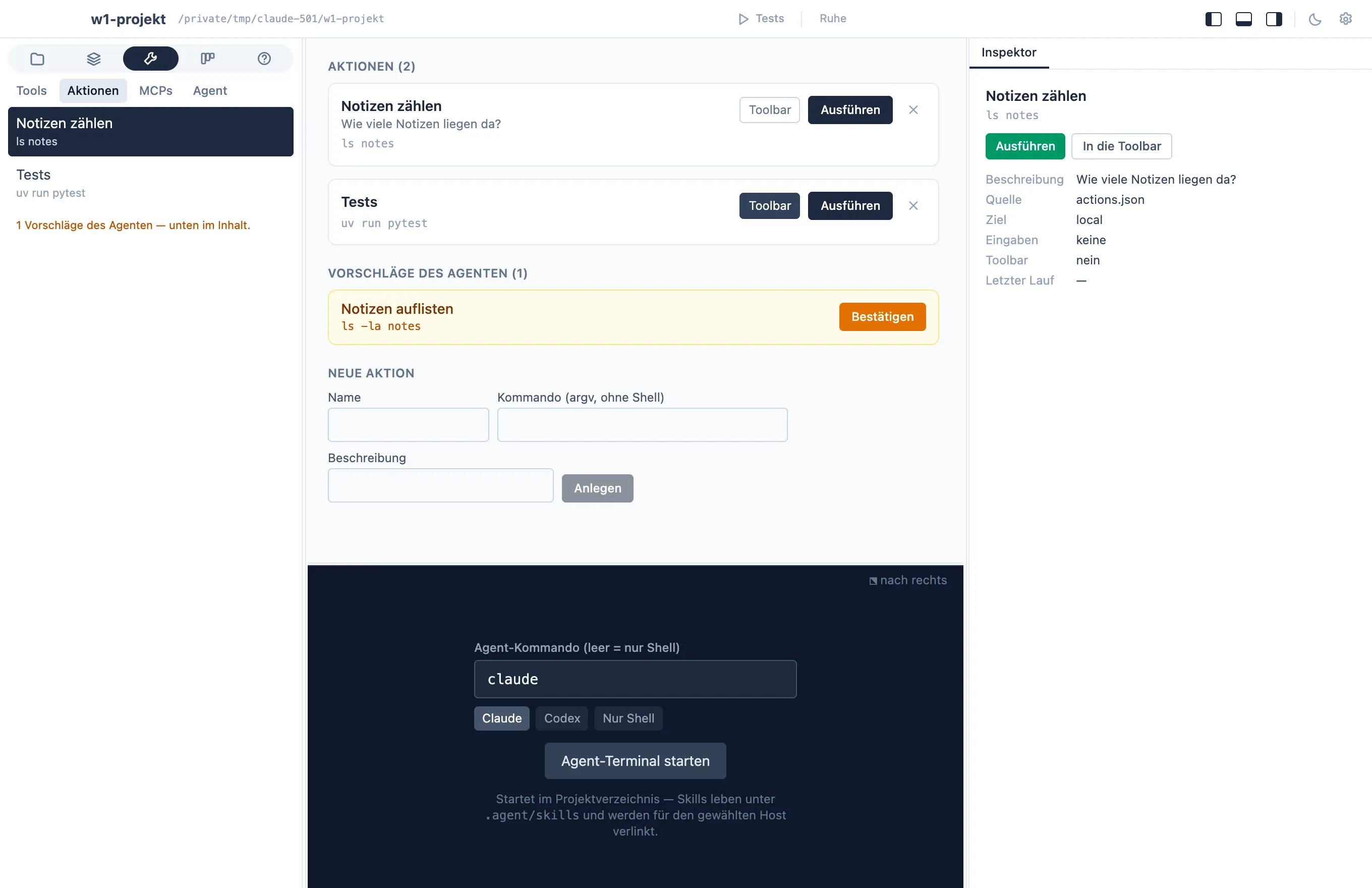
Building, testing, launching — a project’s recurring commands are
actions, defined in .agent/actions.json and shown in the
project window’s actions tab (area Tech). Select one in the
navigator and the inspector shows its source, inputs, last run, and a
Run button; Toolbar pins it as a button in the window’s
toolbar, where one click runs it while the activity view shows it
running.
An action runs as argv without a shell — &&, pipes, and
$(…) don’t work there. Compound commands go into a script:
{ "name": "Build app", "command": "sh scripts/app-build.sh"}Actions can also ask for inputs before running — text, number,
file, folder, choice, color — filled into {name} placeholders in
the command.
The app runs them itself
Section titled “The app runs them itself”The app starts the process directly: the working directory is pinned
to the project root, and every run has a timeout. Output streams
live, with a stop button and progress from [n/m] markers like
[3/20]. One extension: a line of JSON like {"kind":"chart", …}
in the output renders live as a real chart, so a profiling script can
show its result instead of printing columns.
(A local exec MCP server still exists, but only for sandboxed third-party clients that cannot spawn processes themselves — the app doesn’t go through it.)
From the agent’s rejected commands to actions
Section titled “From the agent’s rejected commands to actions”The security model for the agent’s commands sits in
.agent/exec-allowlist.json: commands matching an allowed pattern
run; anything else is parked in .agent/exec-pending.json and shows
up in the actions tab as a suggestion. Confirm turns it into
an action and a permanent allowlist entry — a rejected command you
approve once becomes a button you can press.
One rule spans all these files: no secrets in the repository.
Tokens live in the keychain or arrive as environment references like
${MY_TOKEN} — if a configuration seems to need a literal secret,
that’s a question for the owner, not a
commit.